W5100 IP地址查找
- 點擊電腦左下鍵盤的 開始
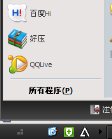 - 然后在點擊運行
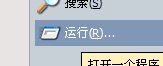 - 然后會跳出一個框框 再里面輸入 cmd
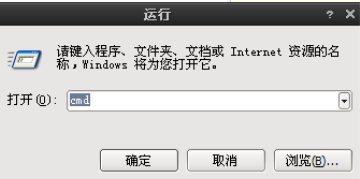 - 然后點擊確定就會出現另外一個黑色的框框
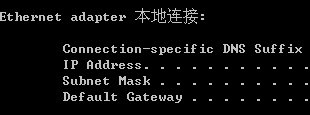
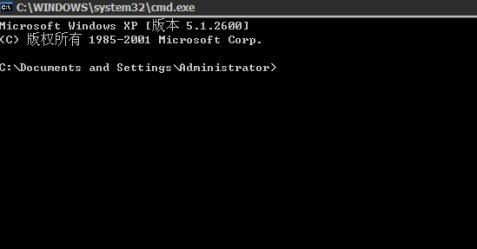 - 再在里面輸入ipconfig
 - 然后點擊回車鍵 就可以看到自己的IP了
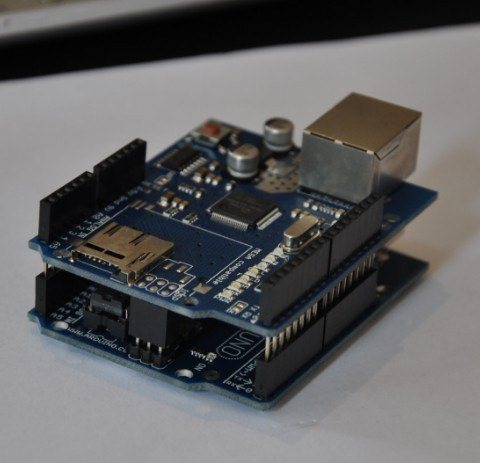
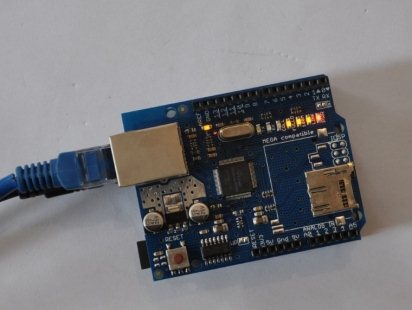
Arduino W5100 Test1.Stack your W5100 shield on you arduino board,make sure all the pins contact OK. SIZE: L-69MM W-53.6MM 2.Download the test sketch arduino w5100 test code: - /************************************************/
- #include <SPI.h>
- /*
- * Web Server
- *
- * A simple web server that shows the value of the analog input pins.
- */
- #include <Ethernet.h>
- byte mac[] = { 0xDE, 0xAD, 0xBE, 0xEF, 0xFE, 0xED };
- byte ip[] = { 192, 168, 0, 15 };
- Server server(80);
- void setup()
- {
- Ethernet.begin(mac, ip);
- server.begin();
- }
- void loop()
- {
- Client client = server.available();
- if (client) {
- // an http request ends with a blank line
- boolean current_line_is_blank = true;
- while (client.connected()) {
- if (client.available()) {
- char c = client.read();
- // if we've gotten to the end of the line (received a newline
- // character) and the line is blank, the http request has ended,
- // so we can send a reply
- if (c == 'n' && current_line_is_blank) {
- // send a standard http response header
- client.println("HTTP/1.1 200 OK");
- client.println("Content-Type: text/html");
- client.println();
-
- // output the value of each analog input pin
- client.print("welcome to tinyos electronics");
- client.println("<br />");
- client.print("//*************************************");
- client.println("<br />");
- client.print("");
- client.println("<br />");
- client.print("//*************************************");
- client.println("<br />");
- for (int i = 0; i < 6; i++) {
- client.print("analog input ");
- client.print(i);
- client.print(" is ");
- client.print(analogRead(i));
- client.println("<br />");
- }
- break;
- }
- if (c == 'n') {
- // we're starting a new line
- current_line_is_blank = true;
- } else if (c != 'r') {
- // we've gotten a character on the current line
- current_line_is_blank = false;
- }
- }
- }
- client.stop();
- }
- }
- /************************************************/
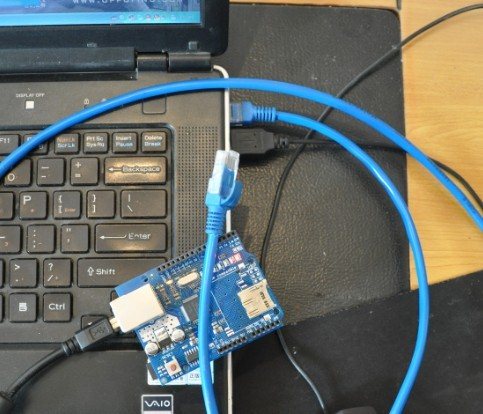
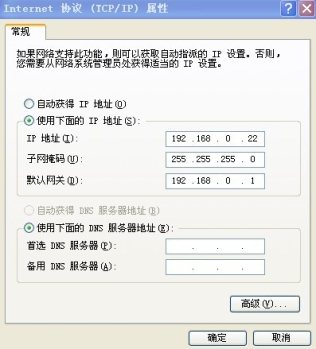
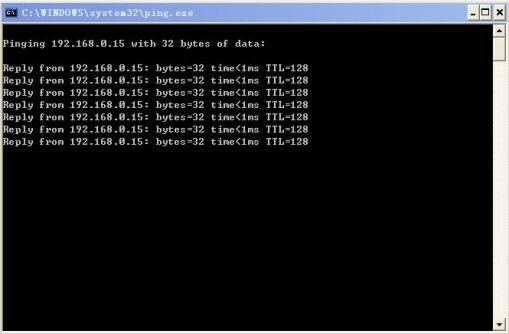
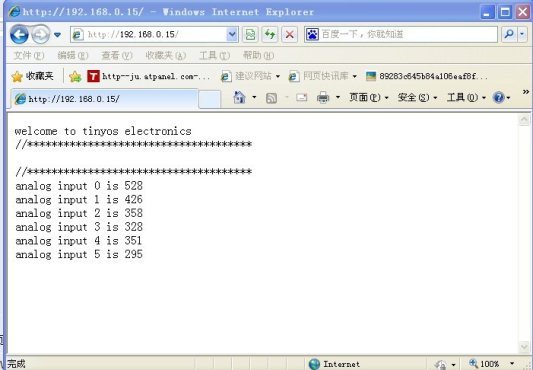
3.Connet your W5100 board and PC with cable(you may need a crossover cable if you direct connect PC and W5100) 4. Setting your local PC IP 5.You will see PC Local connection show connected and W5100 4 LEDS will turn ON FULLD,100M,LINK,PWR If not please try to press RESET button on W5100 Shield. 5.Now you can PING the W5100 6.Visit 192.168.0.15 you can see the test web page
全部資料51hei下載地址:
| 








 QQ好友和群
 QQ空間
QQ空間 騰訊微博
騰訊微博 騰訊朋友
騰訊朋友 收藏
收藏 淘帖
淘帖 頂
頂 踩
踩